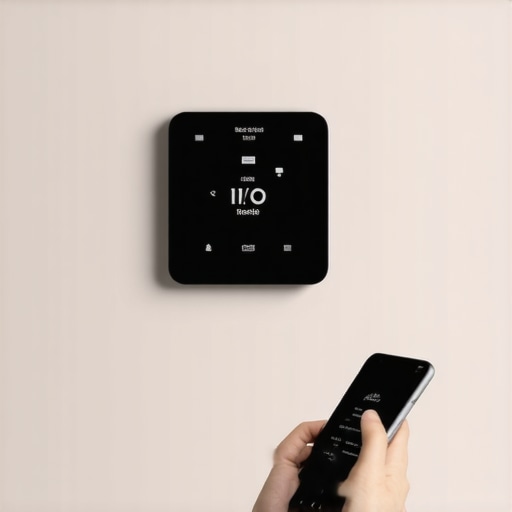
The 2 AM Silence: When Your Smart Home Goes Dumb
There is a specific kind of silence that only hits at 2 AM in the dead of a Northern winter when your steam boiler repair needs become urgent. It’s the silence of a house losing its thermal mass because some server in Silicon Valley decided to take a nap, or worse, your smart thermostat lost its digital handshake with your router. I’ve spent thirty years in this trade, most of it covered in soot from oil burners or refrigerant oil from a compressor burnout, and I can tell you this: the tech has changed, but the physics of heat transfer hasn’t. In 2026, we are dealing with a new breed of problems, especially as the R-454B refrigerant transition services become the standard and systems get more complex with sensors that didn’t exist five years ago.
I remember following a ‘Sales Tech’—one of those guys in a crisp white shirt who wouldn’t know a pipe wrench from a pogo stick—into a house last November. He had quoted a homeowner six grand to replace the entire control board and the Wi-Fi gateway on a high-end inverter-driven compressor system. His reasoning? ‘The software is bricked, ma’am.’ I walked in, pulled the faceplate off the thermostat installation she’d just paid for, and found that the ‘Sparky’ who did the wiring had pinched the C-wire behind a drywall screw. It was shorting out intermittently, causing the remote access to drop every time the furnace vibrated. A five-cent wire nut and a bit of electrical tape fixed it. That’s the difference between a technician and a salesman. Experience tells you that most ‘glitches’ are actually physical failures in a digital mask.
“The most expensive equipment in the world cannot overcome a bad duct system or a faulty control circuit.” – Industry Axiom
1. The ‘Phantom Power’ Protocol: Why Your C-Wire is Failing
In the North, where we rely on cold climate heat pumps and high-efficiency boilers, power management is everything. Most remote access glitches in 2026 stem from insufficient voltage. Your thermostat is essentially a small computer that needs steady ‘juice’ to keep its Wi-Fi radio alive. If your system was installed using a ‘power extender kit’ instead of a dedicated common wire (C-wire), you’re asking for trouble. During a heavy heating cycle, the voltage drop across a pitted contactor or a struggling inducer motor can starve the thermostat for a millisecond—just long enough to kick it offline. If you’re seeing frequent ‘Offline’ messages, stop looking at your router and start looking at your transformer. A failing 24V transformer is often the culprit behind what people call ‘software bugs.’ For those looking at choosing the right HVAC fixes, checking the control voltage is step one.
2. Signal Attenuation and the ‘Tin Knocker’ Interference
I’ve seen it a hundred times: a beautiful restaurant kitchen exhaust repair job where the contractor runs massive galvanized ducts right next to the wireless gateway. We call this ‘Faraday’s Cage Lite.’ In 2026, our homes are packed with metal and interference. If your thermostat is mounted on an interior wall that shares space with a massive return air drop, you’re basically putting your remote access inside a metal box. The signal has to fight through the ductwork, the ‘pookie’ (mastic) used to seal the joints, and the foil-faced insulation. If your remote access is spotty, try relocating the bridge or the gateway away from the mechanical room. You can’t fight physics with a better app; you have to give the radio waves a clear path to the sky.
3. The A2L Sensor Conflict: R-454B and Your Network
With the 2025/2026 R-454B refrigerant transition services, we are seeing a new layer of complexity. These new mildly flammable refrigerants require leak detection sensors inside the evaporator coil cabinet. These sensors are often tied into the same communication bus as your smart thermostat. If a sensor is miscalibrated or if there is a ‘ghost’ in the communication line, it can shut down the remote access as a safety precaution. It’s not a glitch; it’s the system trying to prevent a hazard. When you’re dealing with expert tips for 2025 success, you have to ensure that your technician understands the ‘handshake’ between the A2L sensors and the thermostat. If the sensor thinks it smells gas (even if it’s just hairspray or floor cleaner), it might kill the Wi-Fi board to force you to look at the physical screen for an error code.
“Standard 15-2022 requires that all A2L systems include mitigation strategies that must remain functional at all times.” – ASHRAE Standards
4. Humidity and the ‘Wet Bulb’ Reboot
In cold climates, we rely heavily on whole-home humidifiers to keep the air from cracking the furniture and our skin. But here’s the kicker: if your humidifier is leaking or over-spraying onto the control board of your furnace, it can cause ‘tracking’—a tiny path of electricity that confuses the thermostat’s logic. I’ve seen pellet stove repair jobs where the ash dust mixed with high humidity to create a conductive paste on the wiring terminals. This ‘conductive soot’ can cause the thermostat to reboot every time the humidifier kicks on. If your remote access fails specifically when it gets really cold outside (and your humidifier is working overtime), you likely have a moisture-related short in your low-voltage wiring. This is why furnace repair myths often ignore the simplest cause: cleanliness and dryness at the terminals.
The Thermodynamic Reality of 2026
Remote access is a luxury, but the heat is a necessity. Whether you’re dealing with an infrared heater installation in a garage or a complex inverter-driven compressor for your main house, the control system is only as good as the physical connections. Don’t let a sales tech talk you into a new $12,000 system because your app won’t connect. Most of the time, the fix is in the ‘Forensic Diagnosis.’ Check your contactor repair needs—if the points are charred, they create electrical noise that can disrupt Wi-Fi. Check your static pressure; if the blower is working too hard, it draws more amps and creates more heat in the cabinet, which can bake the thermostat’s internal radio. If you need help, look for the top HVAC repair strategies that focus on the ‘why’ rather than just the ‘what.’ And for the love of all that is holy, make sure your technician knows the difference between a software glitch and a loose screw.